When I Work: Your Key to Smarter Employee Scheduling
Struggling to build weekly shift schedules without endless text messages? When I work offers a direct solution that ends the chaos of manual planning. This guide shows you how this tool slashes scheduling time while giving staff a clear view of their upcoming shifts.
What Makes When I Work Different from Old Methods?
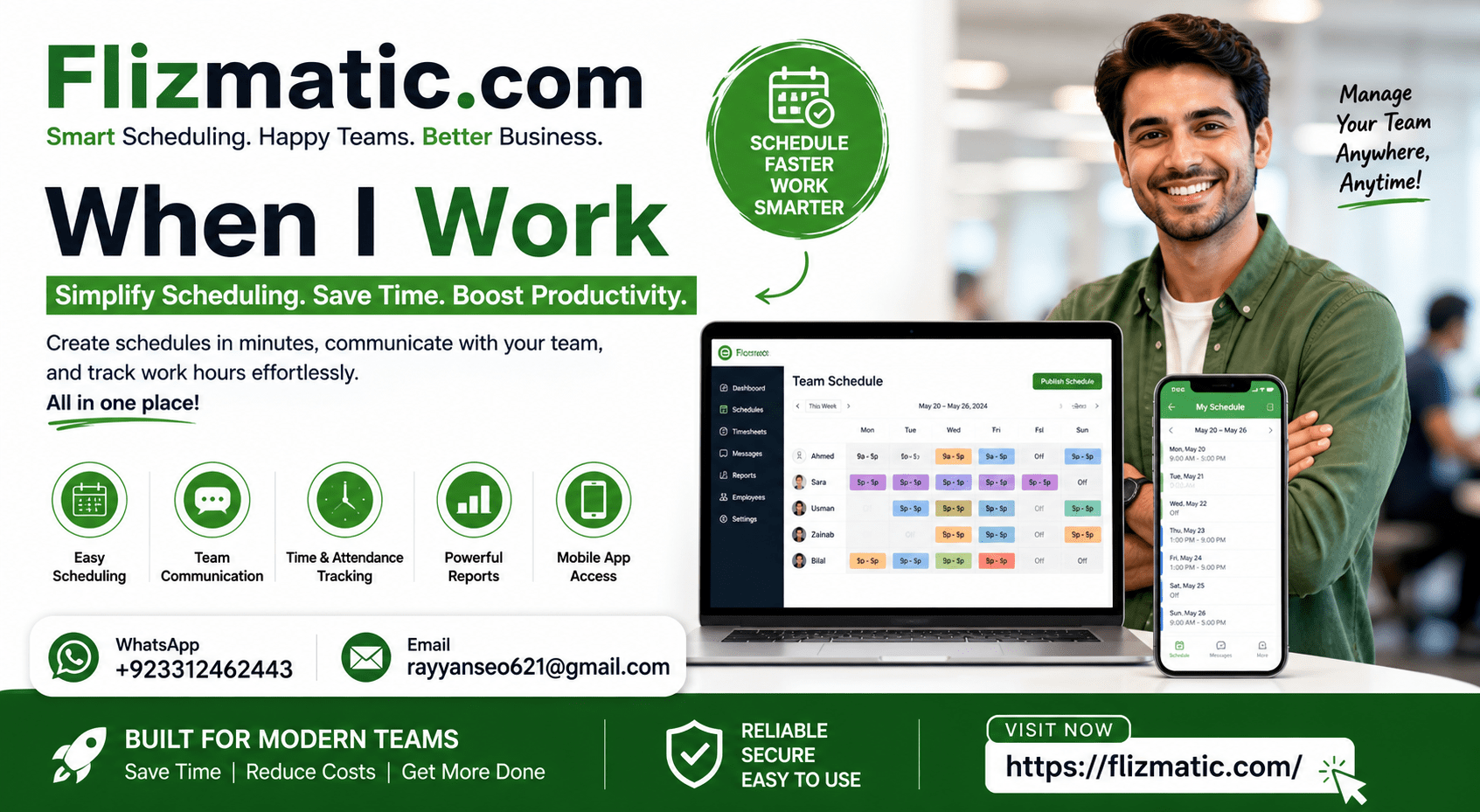
Paper schedules and spreadsheets create confusion and wasted time. When I work replaces these outdated tools with a cloud-based system accessible from any device. Managers publish shifts instantly, and team members receive real-time updates on their phones.
The platform focuses on solving three core problems. First, it eliminates back-and-forth messages about shift changes. Second, it reduces accidental overtime by tracking hours automatically. Third, it gives employees freedom to swap shifts without manager involvement.
How Does the Shift Swap Feature Actually Work?
Employees open the mobile app and see open shifts they can claim. They request a swap with a colleague, who accepts or declines with one tap. Managers approve instantly or set rules for automatic approval. This process removes the need for paper forms or email chains.
| Feature | What It Does | Benefit |
|---|---|---|
| Shift Swap | Employees trade shifts directly | Saves 5+ hours weekly |
| Auto-Scheduling | AI suggests shift coverage | Reduces conflicts to near zero |
| Time Clock | GPS-enabled clock in/out | Ends buddy punching |
| Messaging | Group or 1-on-1 chat | Keeps all talk in one place |
| Reports | Export labor costs by day | Prepares payroll in minutes |
Real impact example: A restaurant chain cut scheduling time from 8 hours weekly to 45 minutes after adopting when i work.
Why Should Managers Use the Auto-Scheduler Feature?
The auto-scheduler learns your business patterns quickly. Input employee availability, shift preferences, and labor budget targets. The system then builds a draft schedule that maximizes coverage while respecting everyone’s time constraints.
Manually adjusting one shift triggers the AI to recalculate the entire week. This prevents the domino effect of fixing one problem only to create another elsewhere. You keep full control to override any automatic placement.
Can Employees Clock In and Out Using Their Phones?
Yes, with GPS verification that confirms the employee is at your business location. The time clock logs every punch with a timestamp and geolocation data. Managers review these records on a single dashboard instead of collecting paper timesheets.
This feature alone eliminates “buddy punching” where one worker clocks in for another. A coffee shop owner reported saving $1,200 monthly just by preventing this type of time theft using when i work.
What Labor Law Compliance Tools Are Included?
The system sends alerts before an employee hits overtime or mandatory break limits. Built-in rules match state and federal requirements for minors, tip credits, and split shifts. Export audit-ready reports with every clock-in, clock-out, and schedule edit.
Compliance settings include:
- Max hours per day or week
- Required meal break timing
- Rest period minimums
- Minor work hour restrictions
- Overtime pay triggers
How Much Administrative Time Does When I Work Save?
Most managers recover 5-8 hours weekly that previously went to schedule building. This time reallocation allows focus on training, customer service, or business growth tasks. The average user sees full return on investment within the first month.
Time breakdown before automation:
- Collecting availability: 2 hours
- Manual schedule building: 3 hours
- Handling shift changes: 4 hours
- Timesheet verification: 2 hours
- Total: 11 hours weekly
Time using when i work:
- Collecting availability: 10 minutes
- Auto-schedule generation: 5 minutes
- Shift change approval: 15 minutes
- Timesheet review: 5 minutes
- Total: 35 minutes weekly
Does the Platform Work for Different Business Types?
Retail stores, medical offices, construction crews, and call centers all use when i work effectively. The system adapts to fixed weekly schedules, rotating shifts, on-call rotations, and project-based staffing. A single dashboard manages full-time, part-time, seasonal, and contractor roles simultaneously.
What Reporting Features Help Track Labor Costs?
Run instant reports on scheduled hours versus actual hours worked. Compare labor cost percentage against sales data for any date range. Export payroll-ready timesheets that integrate with Gusto, QuickBooks, and ADP.
Key reports available:
- Hours scheduled vs. actual by employee
- Overtime projections before week ends
- Shift coverage gaps for the next 7 days
- Employee availability conflicts
- Cost per department or location
How Does Team Communication Work Inside the Platform?
Forget hunting for phone numbers or sending separate group texts. The built-in messaging system reaches everyone or specific departments. Broadcast schedules, policy changes, or emergency closings to all staff simultaneously.
Employees reply to shifts directly, ask questions about assignments, or notify managers about tardiness. All conversations stay searchable within the platform, creating an automatic record of schedule-related discussions.
Is There a Free Trial Available Before Committing?
New users access a 14-day full-feature trial with no credit card required. Test every tool including scheduling, time tracking, and messaging across your real team. The trial includes phone support and live chat help.
This risk-free period allows you to run parallel schedules – your old method alongside when i work – until you feel confident switching completely.
What Do Users Say About Moving to This System?
Operations managers report fewer “no call, no show” incidents by 73% on average. Employees appreciate seeing their full month schedule at a glance. Owners like the direct connection between scheduled hours and profit margins.
One retail director stated, “I wish I switched two years earlier.” A hotel manager noted, “My front desk team stopped arguing about holiday shifts completely.”
Frequently Asked Questions
Q: Can I use when i work for a team with different hourly rates?
A: Yes. Set individual pay rates and the system calculates labor costs accurately for every schedule and timesheet.
Q: Does the mobile app work without internet connection?
A: Employees can clock in offline. The app saves the punch and uploads it once connection returns.
Q: Can I integrate when i work with my existing payroll software?
A: Yes. Native integrations exist for Gusto, QuickBooks, ADP, Paychex, and 15 other major providers.
Q: How does the system handle last-minute callouts?
A: Managers post the open shift to a qualified pool of available staff. The first to accept fills the spot.
Q: Is there training available for new managers?
A: Free live webinars run twice weekly. On-demand video tutorials cover every feature in detail.
Q: What happens if an employee forgets to clock out?
A: Managers receive an alert for missing punches. The system allows manual corrections with an audit trail.
Take Control of Your Schedule Today
Stop losing hours to phone tag and manual spreadsheets. When i work gives you back time while treating employees like trusted adults who can manage their own shift changes. Start the 14-day free trial now and experience the difference automated scheduling makes for your team’s morale and your own stress level.